
How to Check Gujarat Job Result Online - Complete Step-by-Step Guide 2026
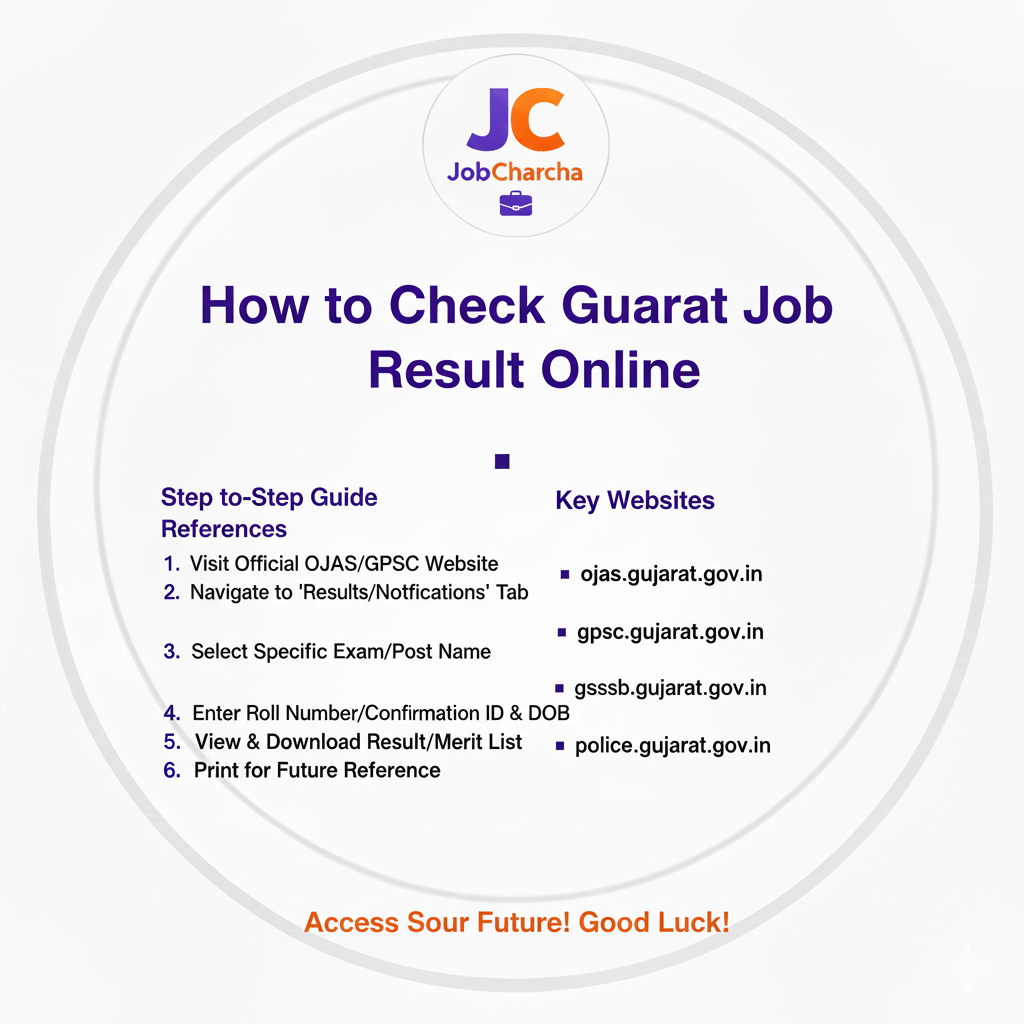
🎯✨ Gujarat Job Result Check કરવાની સંપૂર્ણ માર્ગદર્શિકા ✨🎯
📱 Gujarat માં દર વર્ષે લાખો ઉમેદવારો વિવિધ સરકારી નોકરી પરીક્ષાઓ આપે છે. પરિણામ જાહેર થયા પછી તેને ઓનલાઇન ચેક કરવાની પ્રક્રિયા ઘણા ઉમેદવારો માટે મૂંઝવણભરી હોય છે. આ સંપૂર્ણ માર્ગદર્શિકામાં અમે તમને GPSC, GSSSB, OJAS અને અન્ય તમામ Gujarat સરકારી પરીક્ષાઓના પરિણામ ચેક કરવાની સરળ અને વિગતવાર પ્રક્રિયા સમજાવીશું.
🌐 Gujarat Job Result - મુખ્ય પોર્ટલ્સ
1️⃣ GPSC (Gujarat Public Service Commission)
🔗 Official Website: www.gpsc.gujarat.gov.in
📋 પરિણામ પ્રકાર:
- 📝 Prelims Result
- 📄 Mains Result
- 🏆 Final Result (Merit List)
- 📧 Interview Call Letters
- 📑 Document Verification List
2️⃣ GSSSB (Gujarat Subordinate Service Selection Board)
🔗 Official Website: www.gsssb.gujarat.gov.in
📋 પરિણામ પ્રકાર:
- ✍️ Written Exam Result
- ⌨️ Skill Test Result
- 🏅 Final Merit List
- 📊 Waiting List
3️⃣ OJAS (Online Job Application System)
🔗 Official Website: www.ojas.gujarat.gov.in
📋 પરિણામ પ્રકાર:
- 📂 Various Department Results
- 📝 Talati Result
- 👮 Police Constable Result
- 👨🏫 Teacher Result
- 💼 Clerk Result
4️⃣ Other Important Portals
👮 Gujarat Police Recruitment:
- 🌐 www.police.gujarat.gov.in
- 🌐 www.gujaratpolice.gov.in
📚 Education Department:
- 🎓 www.sebexam.org (TET Results)
- 👨🏫 www.vidyasahayakgujarat.org
🏥 Health Department:
- 💊 www.nrhmmis.nic.in/gujarat
📊 GPSC પરિણામ ચેક કરવાની પ્રક્રિયા
💻 Method 1: Official Website દ્વારા
🔹 Step 1: વેબસાઇટ ખોલો
- 🌐 Browser માં જાઓ (Chrome/Firefox recommended)
- ⌨️ Type કરો: www.gpsc.gujarat.gov.in
- ⏎ Enter દબાવો
🔹 Step 2: Result Section શોધો
- 🏠 Homepage પર "Results" અથવા "પરિણામ" link શોધો
- 📍 સામાન્યત: top menu અથવા sidebar માં મળે છે
- 🖱️ Click કરો Result section પર
🔹 Step 3: તમારી પરીક્ષા પસંદ કરો
- 📋 List માંથી તમારી પરીક્ષાનું નામ શોધો
- 📌 Example: "Deputy Section Officer Class-2 Prelims Result 2025"
- 👆 યોગ્ય link પર click કરો
🔹 Step 4: PDF ડાઉનલોડ કરો
- 📄 Result PDF file ખુલશે
- ⬇️ "Download" અથવા "Save" button click કરો
- 💾 તમારા computer/mobile માં save કરો
🔹 Step 5: તમારો Roll Number શોધો
- 🔍 PDF માં Ctrl+F (Find) use કરો
- 🔢 તમારો Roll Number/Application Number type કરો
- ⏎ Enter દબાવો
- ✨ જો તમારો number હોય તો highlight થશે
🔹 Step 6: વિગતો ચકાસો
- 👤 તમારું નામ
- 🔢 Roll Number
- 📝 Application Number
- 📊 Marks/Rank (જો આપેલ હોય)
- ✅ Qualifying status
🔹 Step 7: પ્રિન્ટઆઉટ લો
- 🖨️ Result નો printout લો
- 📁 ભવિષ્યના સંદર્ભ માટે સાચવો
- 💾 PDF પણ backup કરો
📱 Method 2: Direct Result Link (SMS થી)
GPSC ઘણીવાર result SMS દ્વારા પણ મોકલે છે:
🔹 Step 1: SMS Check કરો
- 📲 Registered mobile number પર SMS આવશે
- 🔗 SMS માં direct result link હશે
🔹 Step 2: Link Click કરો
- 👆 Direct આપેલા link પર click કરો
- 📄 Result page ખુલશે
🔹 Step 3: Details Verify કરો
- ✅ તમારી માહિતી ચકાસો
- 📸 Screenshot લો
- 💾 Save કરો
📋 GSSSB પરિણામ ચેક કરવાની પ્રક્રિયા
🔄 Step-by-Step Process:
🔹 Step 1: Official Portal
- 🌐 Visit: www.gsssb.gujarat.gov.in
- ⏳ Homepage લોડ થવા દો
🔹 Step 2: Result Section
- 📰 "Latest Results" અથવા "પરિણામ" tab ક્લિક કરો
- 📜 અથવા scroll down કરો homepage પર
🔹 Step 3: પરીક્ષા પસંદ કરો
- 🔢 તમારી પરીક્ષાનો advt. number જુઓ
- 📌 Example: "Advt. No. 195/2024-25 - Junior Clerk Result"
- 🖱️ યોગ્ય link click કરો
🔹 Step 4: Login (જો જરૂરી હોય)
કેટલાક results માટે login જરૂરી:
- 📝 Application Number enter કરો
- 📅 Date of Birth enter કરો (DD-MM-YYYY format)
- 🔐 Captcha code enter કરો
- 🔘 "Submit" અથવા "View Result" click કરો
🔹 Step 5: Individual Result જુઓ
- 📊 તમારું result display થશે
- 📋 Details:
- 👤 Name
- 🔢 Application Number
- 📈 Marks obtained
- ✅ Qualifying status
- 🏆 Rank (જો આપેલ હોય)
🔹 Step 6: Download/Print
- ⬇️ "Download Scorecard" click કરો
- 💾 PDF save કરો
- 🖨️ Print લો
🌐 OJAS પરિણામ ચેક કરવાની પ્રક્રિયા
📝 Detailed Steps:
🔹 Step 1: OJAS Portal Access
- 🌐 Website: www.ojas.gujarat.gov.in
- ⏳ Wait for complete loading
🔹 Step 2: Department પસંદ કરો
- 🏢 Homepage પર વિવિધ departments ની links હશે
- 📂 Example:
- 📍 Revenue Department (Talati)
- 👮 Home Department (Police)
- 🎓 Education Department (Teachers)
- 🖱️ યોગ્ય department click કરો
🔹 Step 3: Result Link શોધો
- 📋 Department page પર "Results" section જુઓ
- 🆕 Latest result ઉપર હશે
- 📅 તમારી પરીક્ષાની તારીખ check કરો
🔹 Step 4: Result Access
📄 Option A: PDF List
- જો PDF list હોય:
- ⬇️ Download PDF
- 🔍 Ctrl+F થી search કરો
- 🔢 Roll number શોધો
🔐 Option B: Individual Login
- જો login જરૂરી હોય:
- 📝 Application Number
- 📅 Date of Birth
- 🔒 Captcha
- ✅ Submit
🔹 Step 5: Result Verification
- 👁️ તમામ details ધ્યાનથી વાંચો
- 📊 Marks breakdown જુઓ
- 📈 Cut-off marks સાથે compare કરો
🔹 Step 6: Next Steps Check કરો
Result સાથે આગળની instructions હશે:
- 📅 Document verification date
- 🏃 Physical test date (જો લાગુ હોય)
- 📋 Required documents list
- ⏰ Reporting time and venue
⚠️ Common Result Checking Issues અને Solutions
🚫 Issue 1: વેબસાઇટ ન ખુલે
❓ કારણો:
- 👥 Heavy traffic (result day)
- 🔴 Server down
- 📡 Internet connectivity
✅ ઉકેલ:
- ⏰ થોડા સમય પછી try કરો
- 🌐 Different browser use કરો
- 📱 Mobile data થી try કરો (જો WiFi use કરી રહ્યા હો)
- 🔒 VPN use કરો
- 📲 Official mobile app use કરો (જો available હોય)
🚫 Issue 2: PDF ન ખુલે
❓ કારણો:
- 📄 PDF Reader ન હોવું
- ⚠️ Corrupt file download
- 🌐 Browser compatibility
✅ ઉકેલ:
- 📥 Adobe PDF Reader install કરો
- 🔄 File ફરીથી download કરો
- 🌐 Different browser માં open કરો
- 📂 Mobile માં "Download" folder check કરો
🚫 Issue 3: Roll Number ન મળે
❓ કારણો:
- ❌ ખોટો roll number
- 📉 Not qualified
- 📋 Different result list (waiting list)
✅ ઉકેલ:
- ✅ Application form માંથી roll number verify કરો
- 📄 બધી PDF lists check કરો
- 📊 Waiting list પણ જુઓ
- 📞 Helpline number પર call કરો
🚫 Issue 4: Login Error
❓ કારણો:
- ❌ Wrong credentials
- ⏳ Server busy
- 🔐 Captcha error
✅ ઉકેલ:
- ✅ Application number ફરીથી check કરો
- 📅 Date format યોગ્ય છે ચકાસો (DD-MM-YYYY)
- 🔤 Captcha સાફ type કરો
- 🗑️ Clear browser cache
- 🕵️ Try in incognito mode
🎯 Result પછીની પ્રક્રિયા
✅ જો તમે પાસ થયા હો:
⚡ Immediate Steps:
1️⃣ Result Save કરો
- 💾 PDF download કરો
- 📂 Multiple copies save કરો
- ☁️ Cloud storage માં પણ backup લો
- 🖨️ Minimum 3 printouts લો
2️⃣ Official Notification વાંચો
Result સાથે notification PDF હશે જેમાં:
- 📅 Next stage ની તારીખ
- 📋 Required documents
- 📍 Reporting instructions
- 📊 Cut-off marks
- 🔢 Total selections
3️⃣ Documents તૈયાર કરો
📁 સામાન્ય જરૂરી documents:
- 📜 Educational certificates (original + xerox)
- 🎂 Birth certificate/10th marksheet (age proof)
- 📋 Caste certificate (જો લાગુ હોય)
- 🏠 Domicile certificate
- ✅ Character certificate
- 📄 Non-creamy layer certificate (OBC માટે)
- 📸 Recent passport size photos
- 📊 Result printout
4️⃣ Next Exam/Test તૈયારી
- 📚 Mains exam માટે તૈયારી શરૂ કરો (જો Prelims પાસ)
- 🏃 Physical test તૈયારી (પોલીસ ભરતી માટે)
- ⌨️ Skill test practice (કલાર્ક/ટાઇપિસ્ટ માટે)
5️⃣ Stay Updated
- 🌐 Official website daily check કરો
- 📧 Email notifications enable કરો
- 📱 SMS alerts માટે register કરો
- 💬 Telegram/WhatsApp groups join કરો
❌ જો તમે પાસ ન થયા હો:
💪 Positive Steps:
1️⃣ Marks Analysis કરો
- 📊 તમારા marks જુઓ (જો available હોય)
- 📈 Cut-off સાથે compare કરો
- 📉 Weak subjects identify કરો
- 📝 Improvement areas note કરો
2️⃣ Answer Key Check કરો
- 🔑 Official answer key download કરો
- ✅ તમારા answers સાથે match કરો
- 💡 Mistakes સમજો
3️⃣ Challenge/Objection (જો valid હોય)
- ⚠️ જો answer key માં error લાગે
- 📝 Official objection period માં complaint કરો
- 📋 Evidence સાથે represent કરો
4️⃣ Future Planning
- 📅 Next exam ની તારીખ જાણો
- 🎯 Improved strategy બનાવો
- 📚 Weak areas પર focus કરો
- 📝 Mock tests વધારો
🔐 Result Verification - માન્યતા ચકાસો
⚠️ Fake Results થી સાવધાન
✅ Official Sources જ ભરોસો કરો:
- 🌐 Official government websites
- ✔️ Verified social media accounts
- 📱 Official mobile apps
❌ ટાળો આ sources:
- 💬 Unofficial WhatsApp messages
- 🌐 Fake websites (typo URLs)
- 🔗 Third-party result portals
- 📱 Social media rumors
🔍 Official Website Verify કરો
✅ યોગ્ય URL Check:
- 🌐 GPSC: gpsc.gujarat.gov.in (✓)
- 🌐 GSSSB: gsssb.gujarat.gov.in (✓)
- 🌐 OJAS: ojas.gujarat.gov.in (✓)
❌ ખોટા URLs:
- 🚫 gpsc-result.com (✗)
- 🚫 gujaratjobs.in (✗)
- 🚫 ojas-online.com (✗)
🔒 Security Tips
1️⃣ Personal Information સુરક્ષિત રાખો
- 🔢 Roll number share કરતા સાવચેત રહો
- 📝 Application number private રાખો
- 📤 Documents upload કરતા પહેલા વિચારો
2️⃣ Phishing થી બચો
- 📧 Suspicious emails/SMS ignore કરો
- 💰 "Urgent payment" messages નો reply ન કરો
- 🌐 Official websites જ visit કરો
3️⃣ Payment Scams
- 💵 Result check માટે કોઈ payment નથી
- 🚫 "Premium result service" ધ્યાન ન આપો
- ✅ Official fees જ ચૂકવો (જો જરૂરી હોય)
📱 Mobile થી Result Check કરવાની ટીપ્સ
🌐 Mobile Browser Optimization:
1️⃣ Browser Settings:
- 💻 Desktop site mode enable કરો
- 🚫 Pop-up blocker disable કરો
- ⚙️ JavaScript enable કરો
2️⃣ PDF Viewing:
- 📄 PDF reader app install કરો
- 📥 Adobe Acrobat અથવા Google PDF Viewer
- 📂 "Download" folder માં save કરો
3️⃣ Data Saving:
- 📶 WiFi use કરો result check માટે
- 📊 Unlimited data plan recommended (result day)
- 💾 અગત્યના files download કરો
📲 Official Mobile Apps:
કેટલાક departments પાસે apps છે:
👮 Gujarat Police App:
- 📋 Police recruitment results
- 🔔 Notifications
🏛️ mSeva Gujarat App:
- 🌐 Various government services
- 🔔 Result notifications
🔔 Result Notification Service
📱 SMS Alerts માટે Register:
📲 GPSC SMS Service:
- 📤 Send SMS: "GPSC <space> Roll Number"
- 📞 To: [GPSC designated number]
- 🔔 Result SMS automatically આવશે
📧 Email Notifications:
- 🌐 Official website પર email register કરો
- 👤 Profile section માં email add કરો
- 🔔 Notifications automatically આવશે
📱 Social Media Updates:
✅ Official Accounts Follow કરો:
🐦 Twitter/X:
- 📍 @GPSC_Official
- 📍 @GSSSB_Official
- 📍 @OJAS_Gujarat
📘 Facebook:
- 👍 GPSC Official Page
- 📰 Gujarat Rojgar Samachar
💬 Telegram:
- 📢 Official GPSC channel
- 📢 OJAS Updates channel
❓ Frequently Asked Questions (FAQs)
❓ Q1: Result કેટલા સમયમાં આવે છે?
✅ Ans: સામાન્યત: પરીક્ષા પછી 2-3 મહિનામાં. GPSC Prelims: 1-2 મહિના, Mains: 3-4 મહિના.
❓ Q2: શું result SMS થી આવશે?
✅ Ans: હા, registered mobile number પર SMS આવે છે, પરંતુ બધાને નહીં. Official website check કરવું વધુ સારું.
❓ Q3: Marks પણ result સાથે આવે છે?
✅ Ans: Prelims માં સામાન્યત: માત્ર qualify/not qualify. Mains અને final result માં marks આવે છે.
❓ Q4: જો website ન ખુલે તો શું કરવું?
✅ Ans: થોડો સમય રાહ જુઓ, different browser try કરો, અથવા official helpline contact કરો.
❓ Q5: Scorecard ક્યાંથી download કરવું?
✅ Ans: Qualified candidates માટે separate scorecard link આવે છે result પછી.
❓ Q6: Result માં objection કેવી રીતે કરવું?
✅ Ans: Official objection window માં online application submit કરો. Fees લાગે છે.
📞 Important Contact Information
🏢 GPSC Helpdesk:
- ☎️ Phone: 079-23251395, 079-23254321
- 📧 Email: gpsc-sec@gujarat.gov.in
- ⏰ Timing: 10:30 AM - 6:00 PM (Working days)
🏢 GSSSB Helpdesk:
- ☎️ Phone: 079-23256881
- 📧 Email: gsssb-gad@gujarat.gov.in
💻 OJAS Technical Support:
- 📧 Email: support@ojas.gujarat.gov.in
- ⏰ Timing: 10:00 AM - 6:00 PM
🎯 નિષ્કર્ષ
Gujarat સરકારી નોકરીના પરિણામ ઓનલાઇન ચેક કરવાનું હવે ખૂબ સરળ બનીગયું છે. આ માર્ગદર્શિકાને follow કરીને તમે કોઈપણ સમસ્યા વિના તમારું result ચેક કરી શકશો. યાદ રાખો કે હંમેશા official websites જ use કરો અને fake portals થી દૂર રહો.
📌 મુખ્ય points યાદ રાખો:
✅ Official websites જ trust કરો
✅ Result ની multiple copies save કરો
✅ Next steps માટે notifications follow કરો
✅ Documents તૈયાર રાખો
✅ Positive mindset રાખો
🌟 પરિણામ સારું આવે તેવી શુભેચ્છા! જો આ માર્ગદર્શિકા મદદરૂપ લાગી હોય તો share કરો. 🎯📱
🎊 All the Best! 🌟
✨ શુભકામનાઓ ✨